

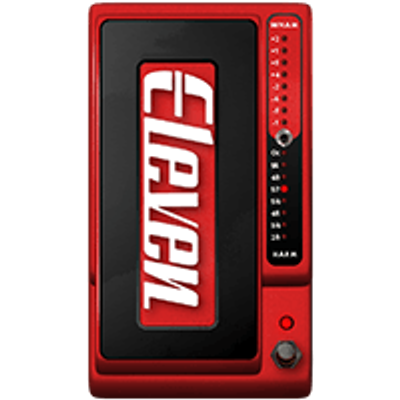
Headrush Pitch
Harm
Inspired by Digitech® Whammy (Harmony)
Effect that creates fixed (non-intelligent) harmonizations and adds one or more voices with predefined musical intervals
GENERAL FUNCTION
- Duplicate the signal
- He transforms it according to musical intervals
- Does not automatically follow key (important)
Result:
- “twin guitar type” harmonies
- double / third / fifth effects
Control Parameters
Modes
Select the type of harmony (intervals)
Available modes
- ± Oct: octave up + down
- +2nd / 3rd: second + third
- +3rd Minor / Major: minor or major third
- +3rd / 4th: combination
- +4th / 5th: classic rock harmony
- +5th / 6th: open harmonies
- +5th / 7th: more “jazzy”
- 4th / 3rd: harmony below
- 5th / 4th: harmony below
Meaning:
- positive intervals → above
- negatives → below
- double combinations → two entries
Mode completely defines the sound
Pitch%
- Range: 0 – 100%
- Amount of pitch shift
Behavior
- 0%: no harmony
- 50%: half range
- 100%: Full range
Used for:
- create “glide” effects
- control harmony intensity
Mix%
- Range: 0 – 100%
- Blend between dry and harmony
Behavior
- 0%: dry
- 40–60%: natural
- 70–100%: noticeable effect
Offset%
Shifts the pitch of the harmony
Effect:
- introduces variations between voices
Create:
- chorus
- detune
- movement
Useful to avoid “stiff” sound
Pro Tips
- Does NOT follow pitch → may sound out of tune
- wrong intervals → dissonance
- High mix → very evident effect
- High offset → less precision
For correct sound:
- choose Mode based on the key of the song
Trick:
- use Light Offset → more natural sound
Quick Reference
- Modes: harmony type
- Pitch (%): amount
- Mix (%): blend
- Offset (%): pitch variation
Setup Examples
Twin guitar (Iron Maiden style)
Mode+3rd Minor / Major
Pitch100%
Mix40–60%
Offset5–10%
Classical harmony
Open Harmony (U2/ambient)
Mode+5th / 6th
Mix50%
Offsetlight
Wide sound
Natural chorus
Mode± Oct
PitchLow (30–50%)
Mix30–40%
Thick sound
Artificial effect
Mode+5th / 7th
Mix70–100%
Offsetmedium
Modern sound