

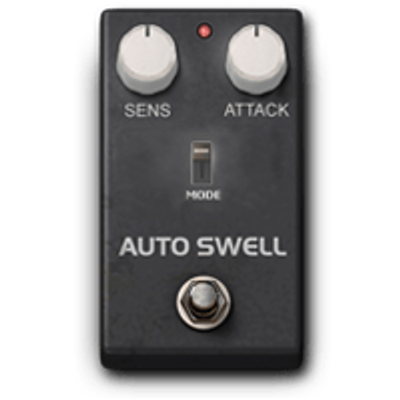
Headrush Volume & Dynamics
Autoswell
Inspired by Digitech® Crescendo
Effect that simulates the classic swell volume (like violin)
without using the volume pedal.
Transforms the attack of the note into an automatic fade-in
GENERAL FUNCTION
- Removes the initial attack
- It lets the sound in gradually
Result:
- “violin” effect
- ambient pad
- soft textures
Control Parameters
Trigger Sens%
- Range: 0 – 100%
- Sensitivity to the input signal
Behavior
- bass: you need to play loud
- medium: natural response
- high: always activates
Function:
- decides when the swell starts
Higher = easier to activate
Attackms
- Range: a few ms → several seconds
- Fade-in time
Behavior
- short (0–100 ms): almost normal
- medium (100–300 ms): musical swell
- long (300–1000+ ms): pad effect
Main parameter
Modes
Type of swell behavior
Typically:
- different fade curves
- more or less natural response
It can change:
- linearity
- dynamic response
Pro Tips
- High trigger → effect always active
- Attack too long → timing loss
- Not ideal for fast rhythms
- Best with single notes
Basic trick:
- Lower Trigger for dynamic control
- use long Attack + reverb
For cinematic sound:
- add delay and shimmer
Quick Reference
- Trigger Sens (%): sensitivity
- Attack (ms): fade-in time
- Modes: response type
Setup Examples
Violin (classic swell)
Trigger Sens60–70%
Attack300–500 ms
String-like sound
Ambient pad
Trigger Sens70–90%
Attack500–1000 ms
Cinematic texture
Light swell
Trigger Sens40–60%
Attack150–250 ms
Soft effect
Swell controlled (dynamic)
Trigger Sens30–50%
Attackmedium
It only activates on strong notes